
Sunflx سحابة التطبيق
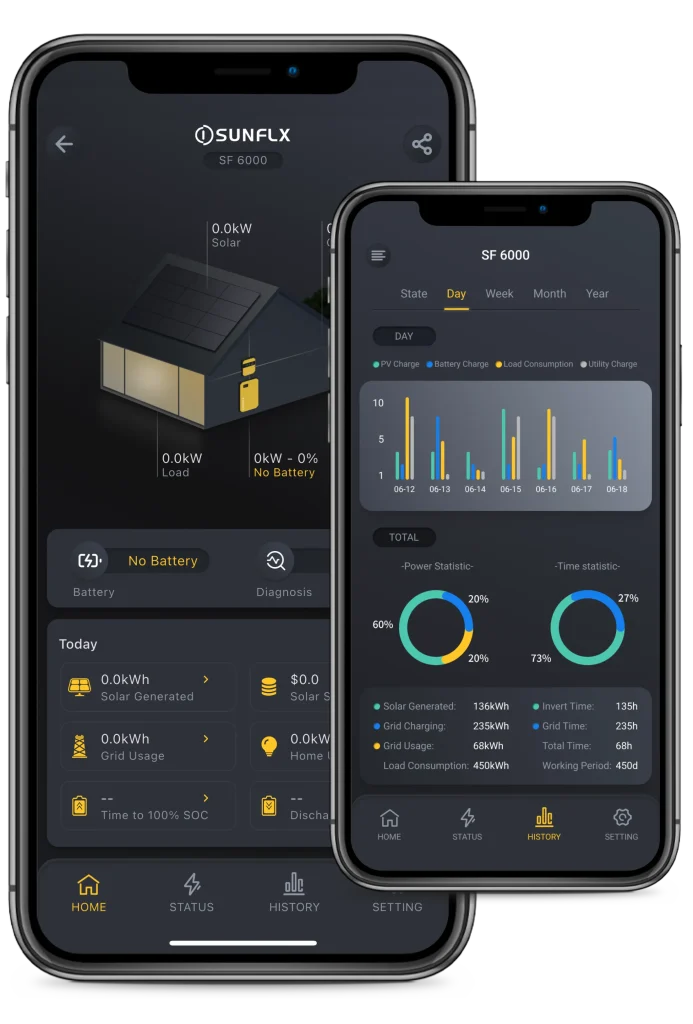
Sunflx سحابة التطبيق هو تكوين Mintor التطبيق متوفر الآن في المتجر وجوجل لعب.
العمل مع Sunflx الذكية دونجل, دعم بلوتوث و Wi-Fi. والتي تمكنك من إدارة جهاز الطاقة الشمسية مع أو بدون اتصال بالإنترنت. في أي وقت في أي مكان


SUNFLX CLOUD APP INTRODUCTION
In this video, you’ll learn how to set up and use the Sunflx Cloud App to monitor and manage your solar system. We’ll guide you through downloading the app, connecting via Bluetooth and Wi-Fi, and updating firmware for seamless performance!

الميزات الرئيسية
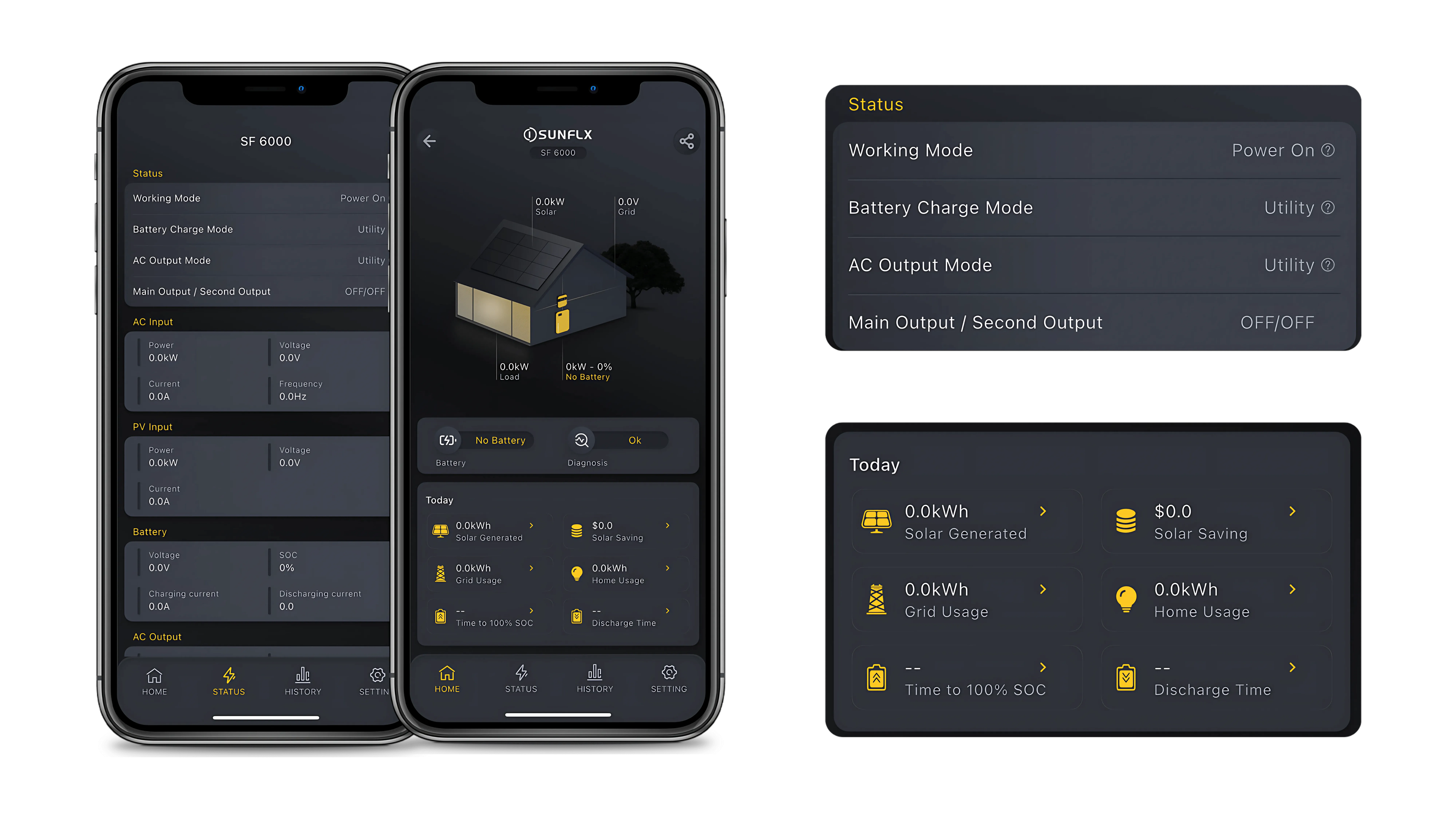
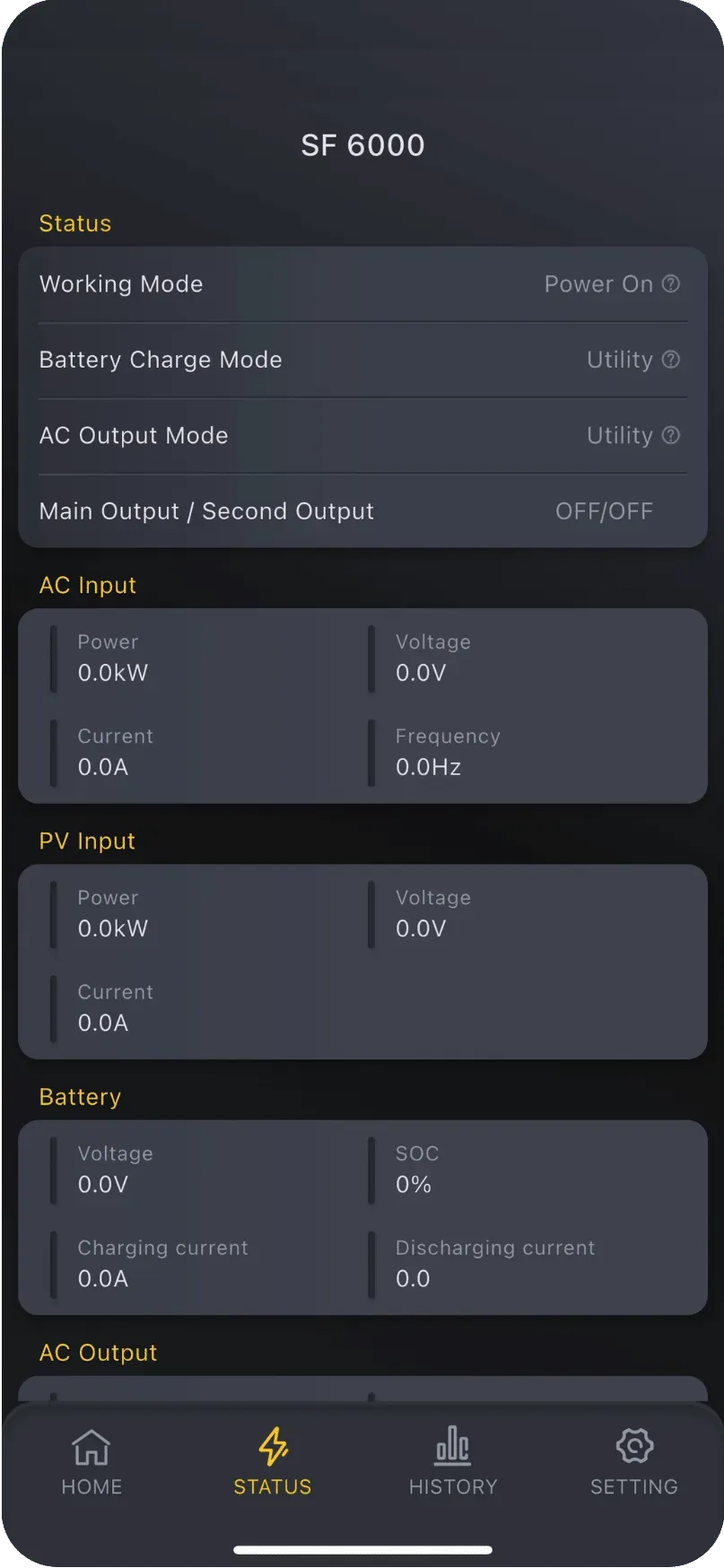
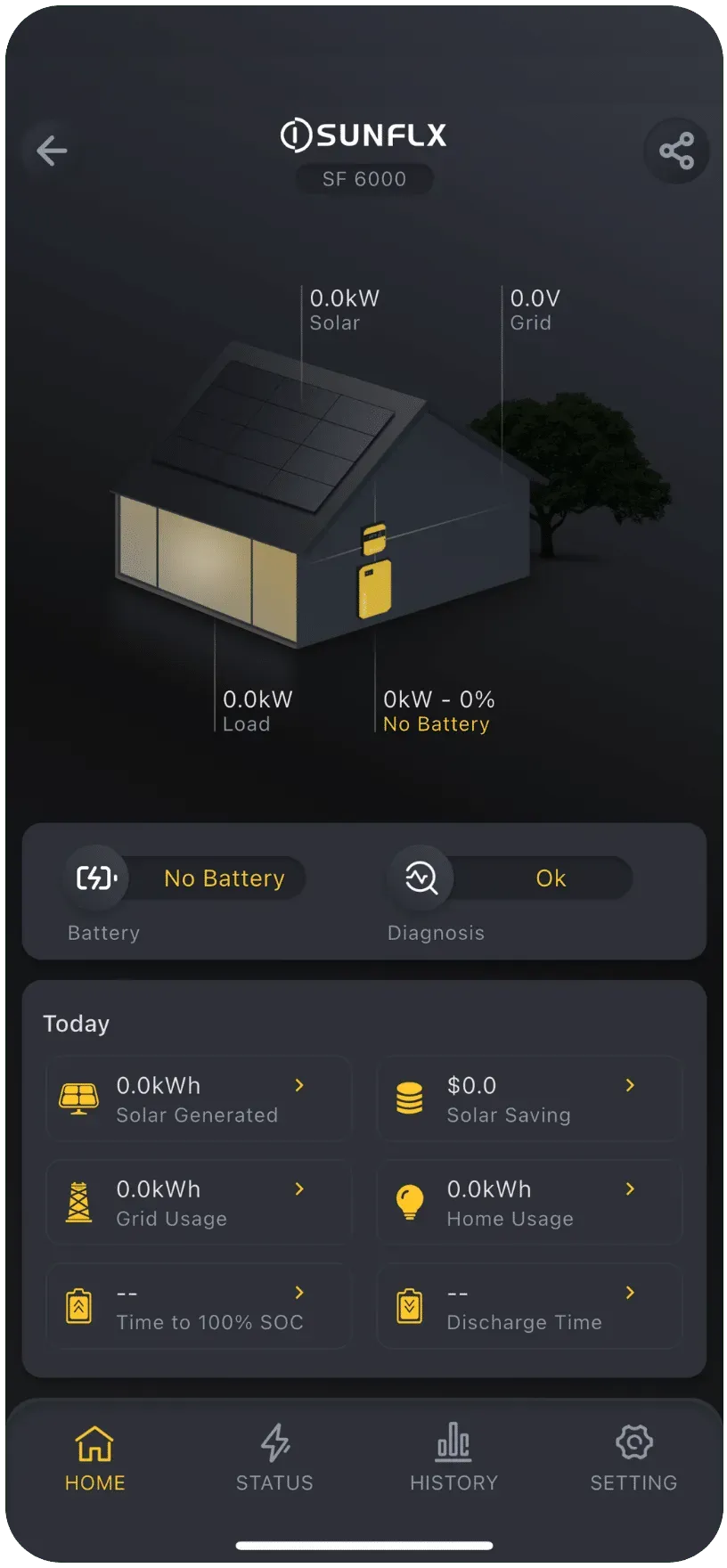
إبقاء العين على الطاقة الشمسية معدات الأداء الحي و حالة النظام.
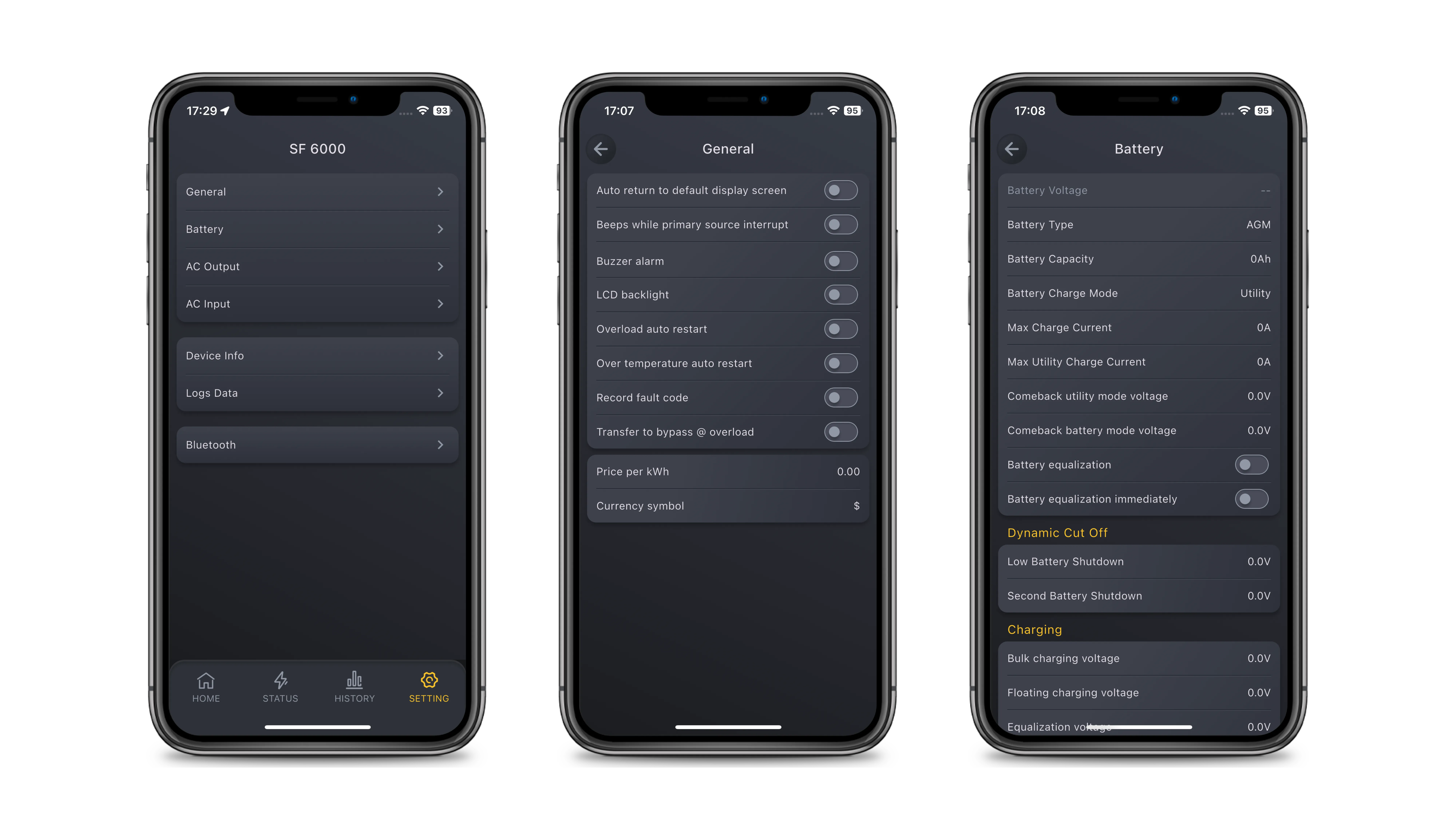
Personalize your device settings to get the best out of your system.
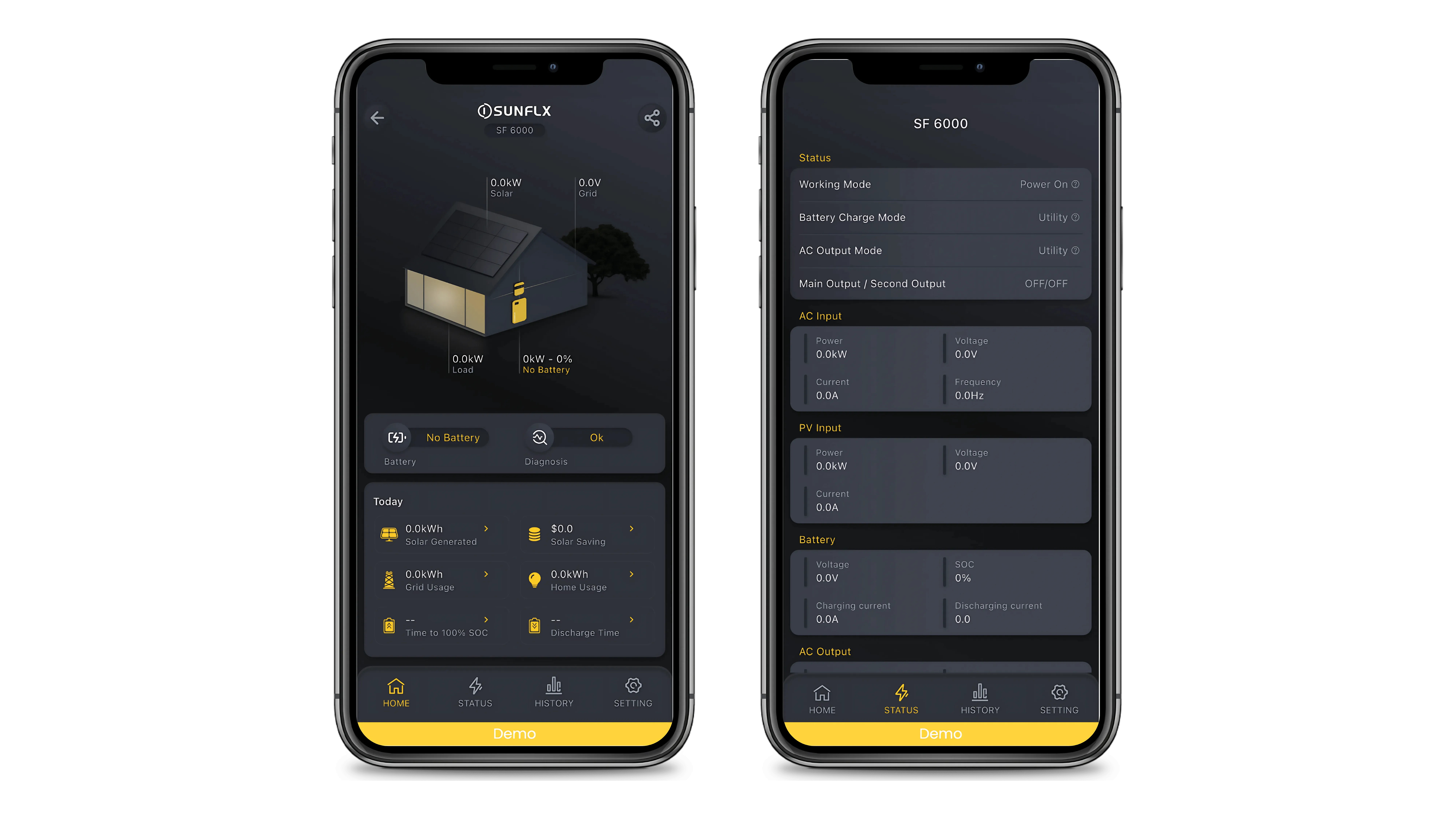
Check out the demo library to explore Sunflx features and see what the products can do.
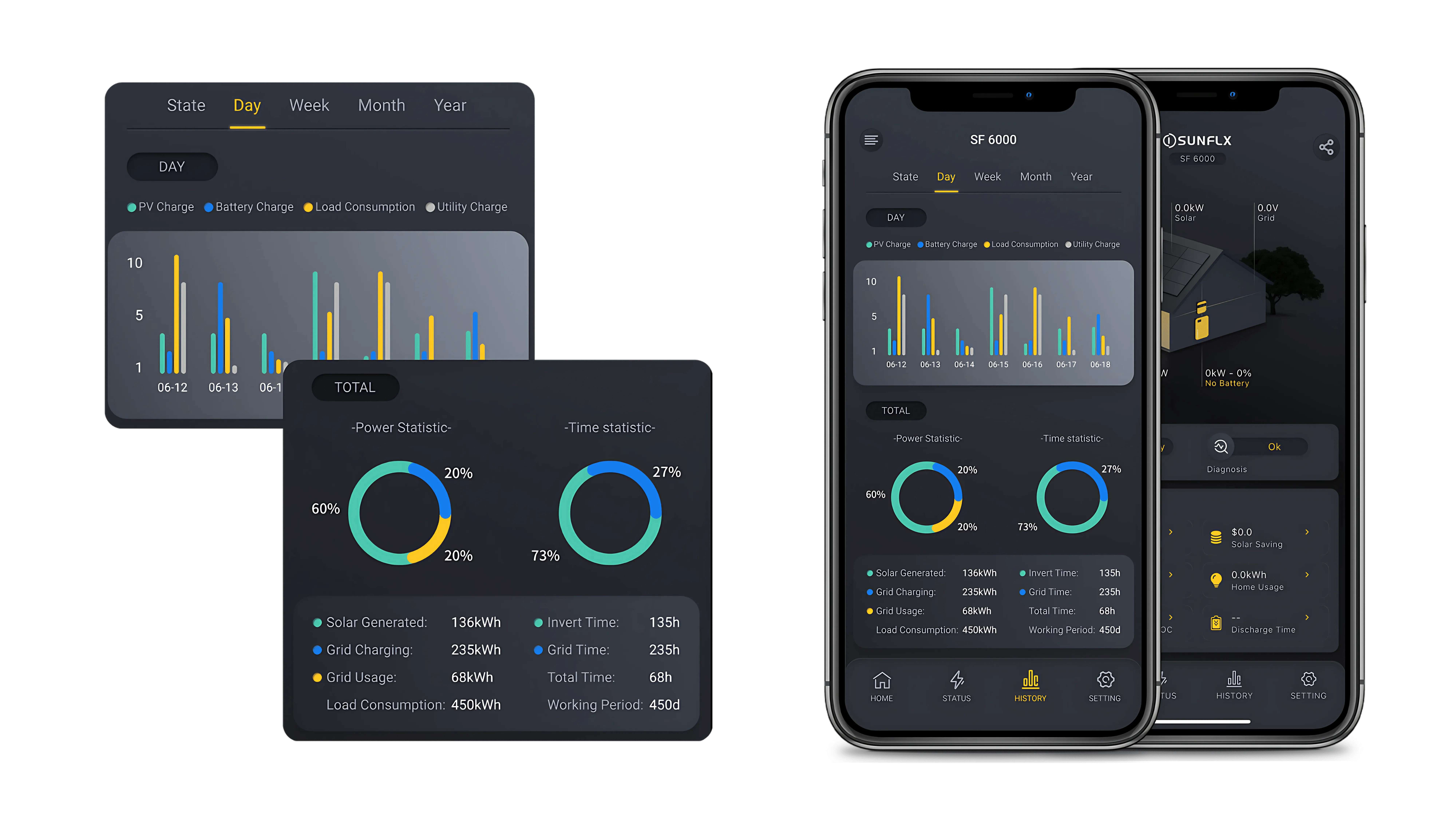
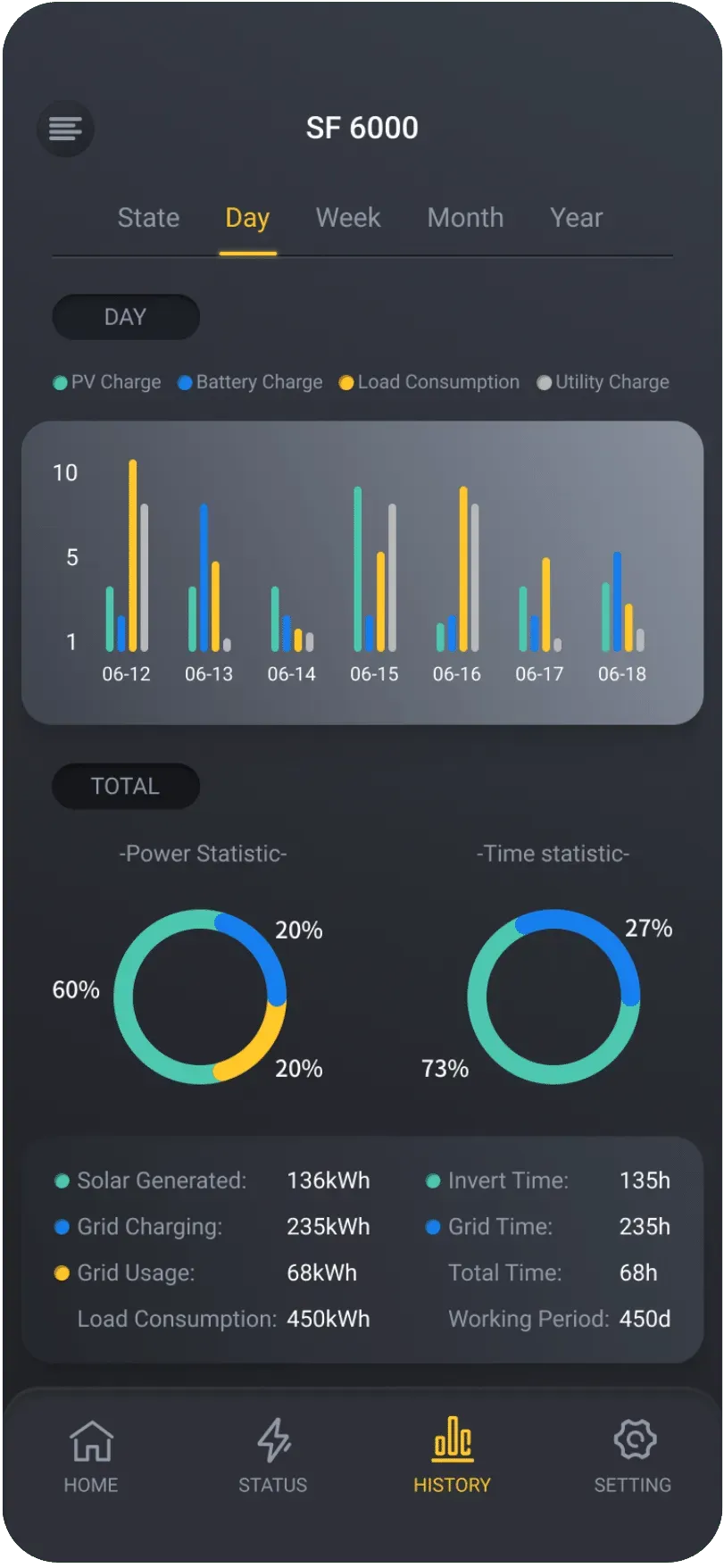
View past data like power generation, energy use, and grid consumption to assess your system’s performance.
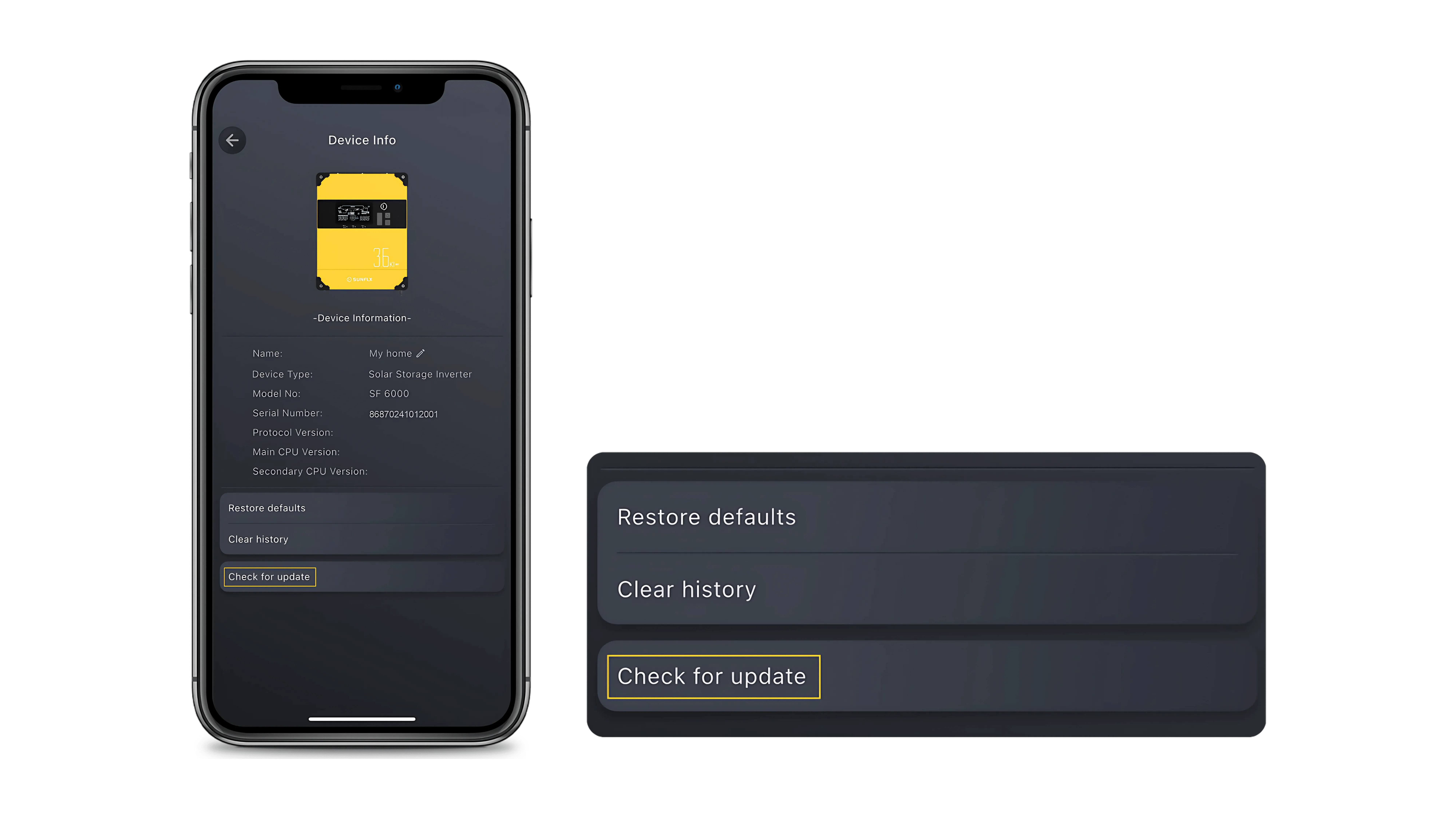
Update your device firmware with just one tap to stay up to date with the latest features.
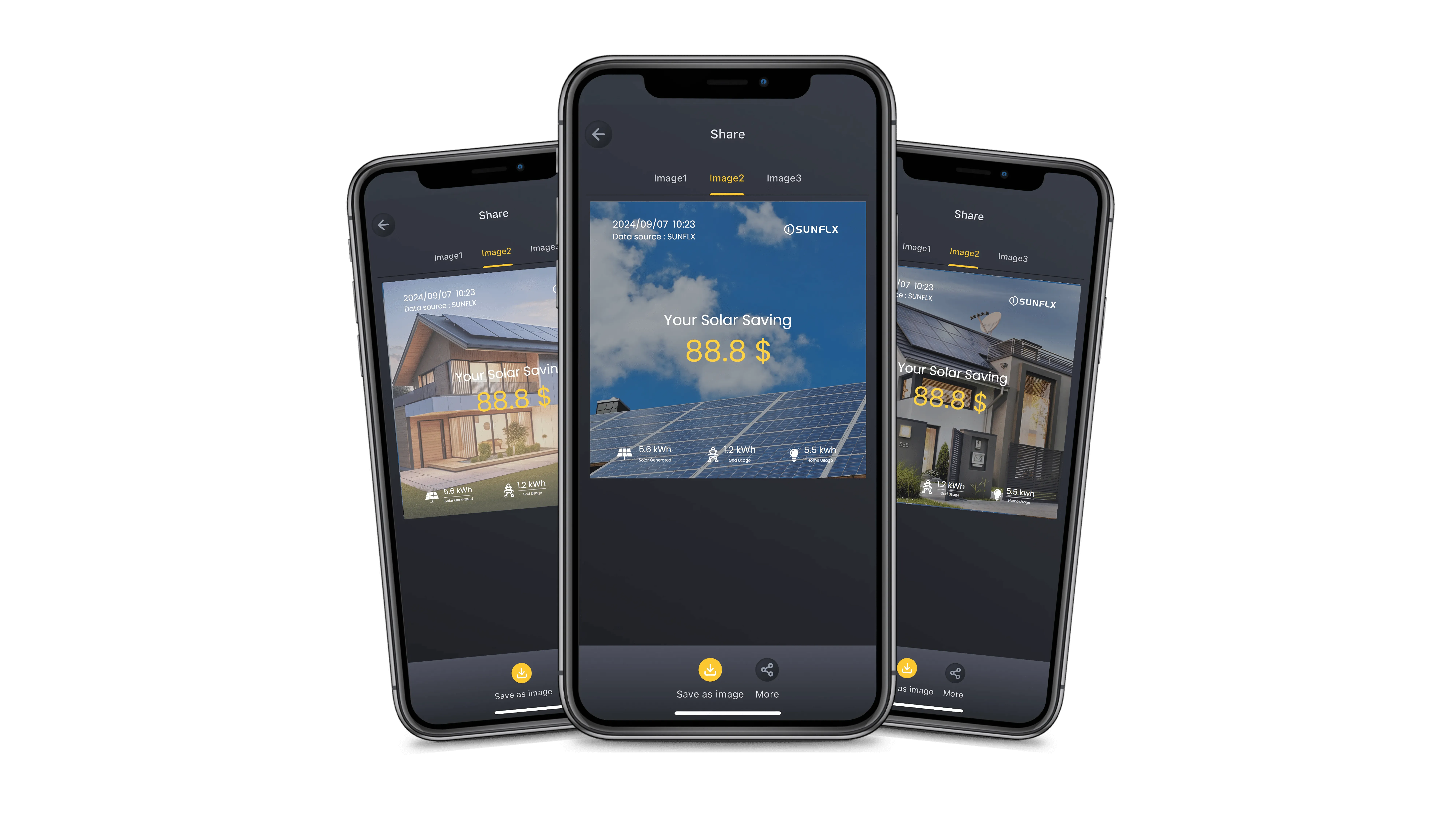
Share your solar power achievements and savings with friends and spread the green lifestyle.
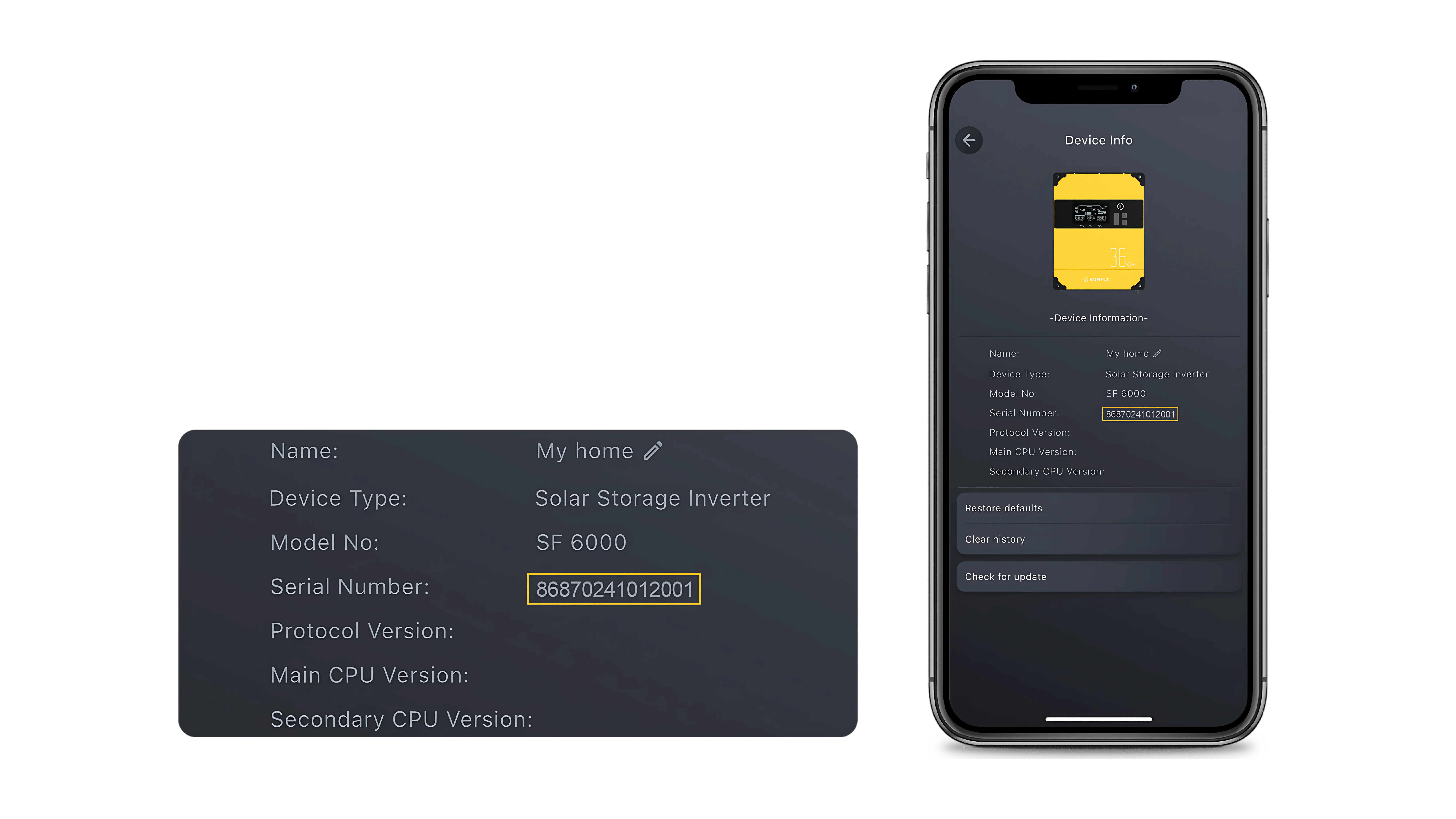
Verify your products quickly to ensure they’re genuine with Sunflx Cloud.
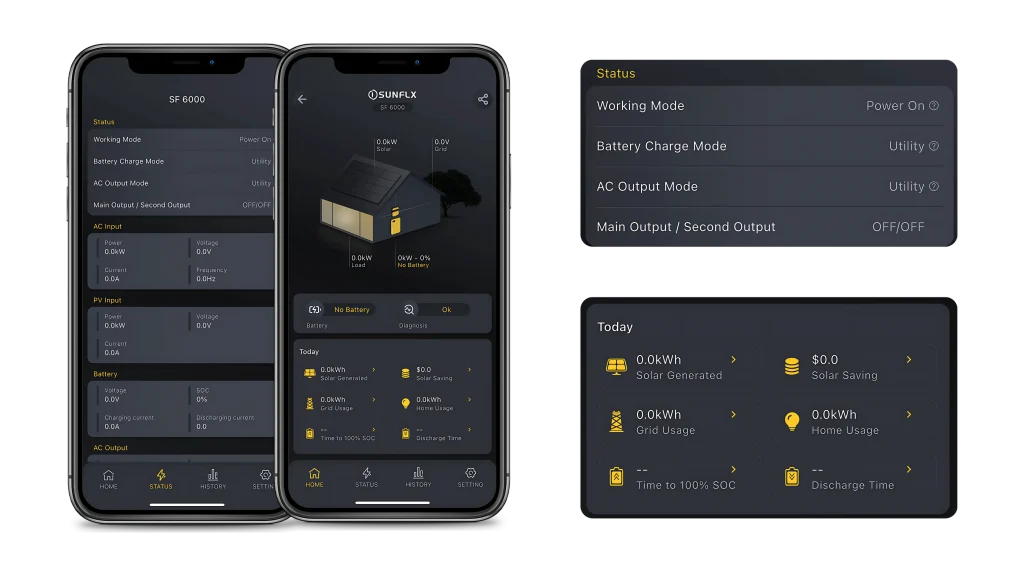
1.Real-Time Monitoring
1.Real-Time Monitoring
إبقاء العين على الطاقة الشمسية معدات الأداء الحي و حالة النظام.
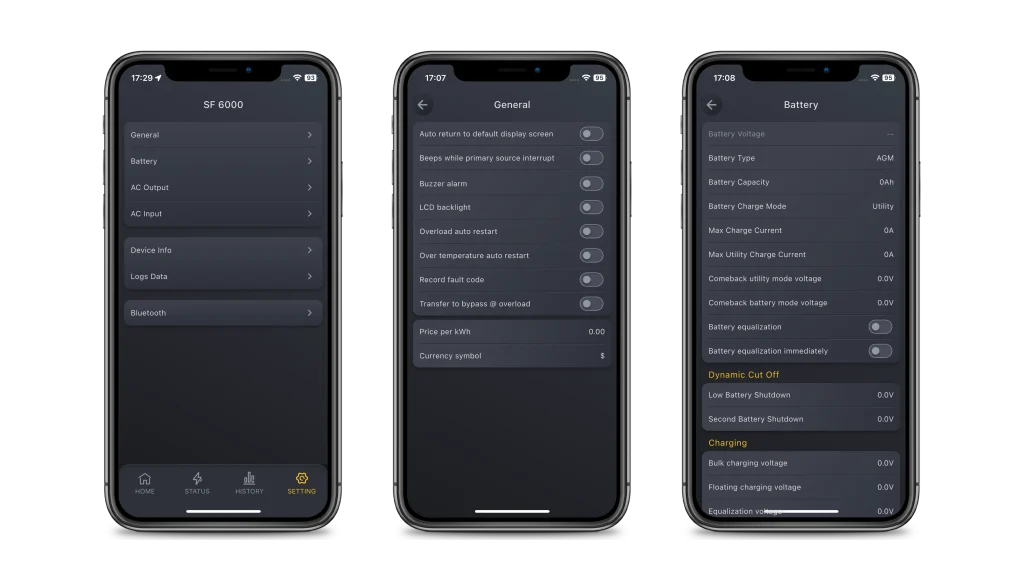
2.Easy Settings
2.Easy Settings
Personalize your device settings to get the best out of your system.
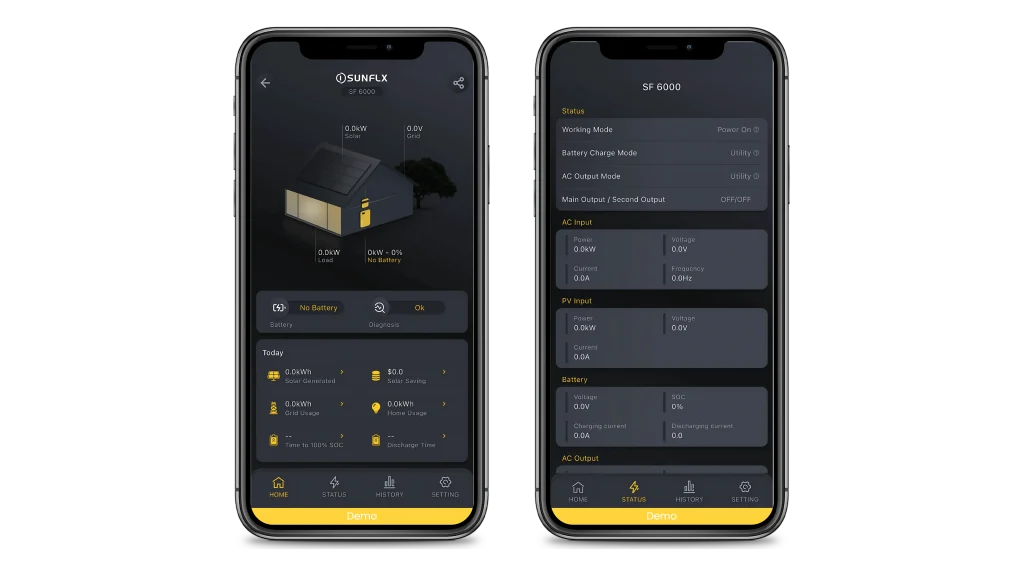
3.Demo Devices
3.Demo Devices
Check out the demo library to explore Sunflx features and see what the products can do.
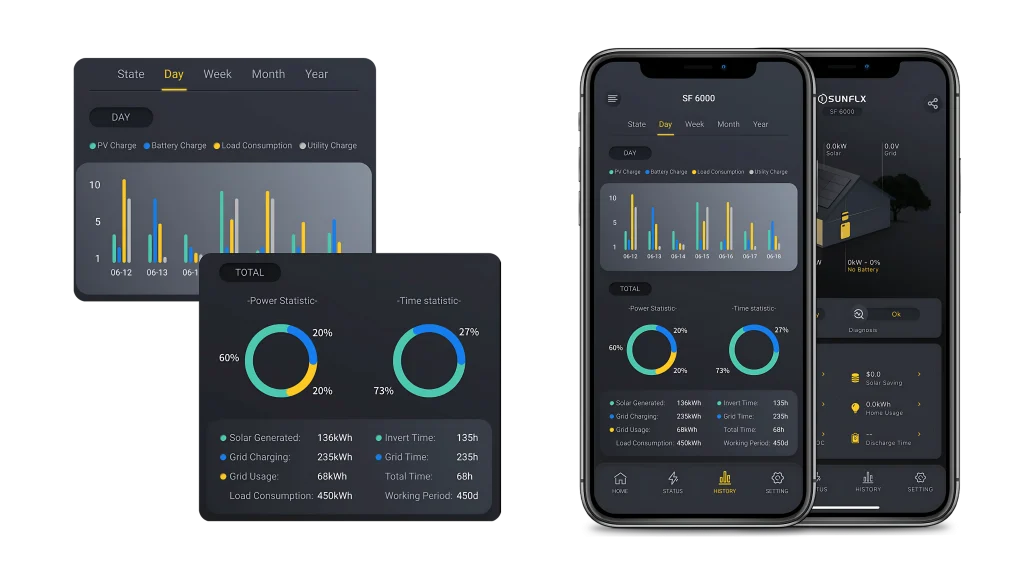
4.Historical Data
4.Historical Data
View past data like power generation, energy use, and grid consumption to assess your system’s performance.
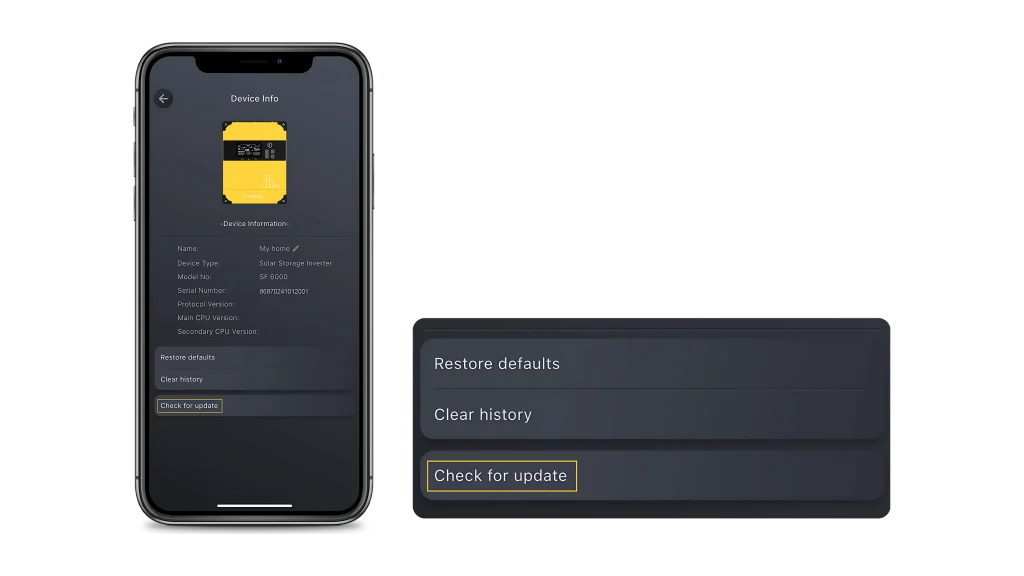
5.Firmware Updates
5.Firmware Updates
Update your device firmware with just one tap to stay up to date with the latest features.
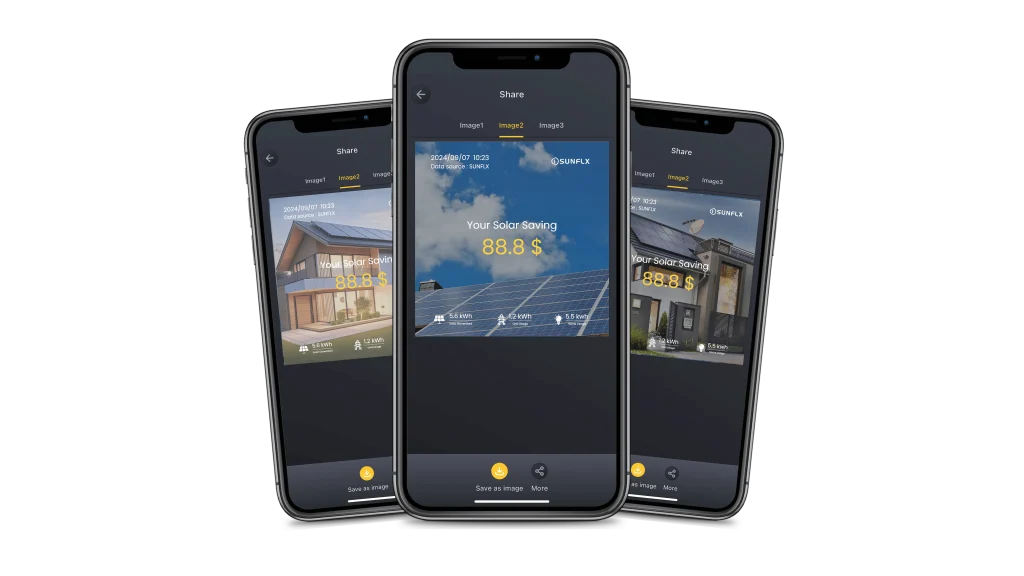
6.Status Sharing
6.Status Sharing
Share your solar power achievements and savings with friends and spread the green lifestyle.
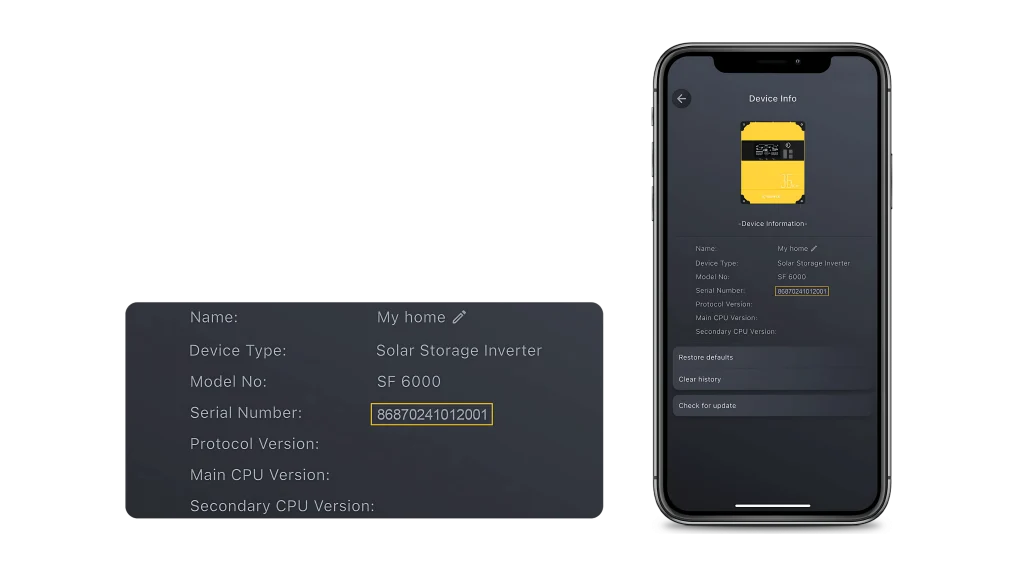
7.Product Verification
7.Product Verification
Verify your products quickly to ensure they’re genuine with Sunflx Cloud.
Download App


اتصل بنا الآن!
قدم قوية
SUNFLX الطاقة طويلة.